

Managing your studio should be easier than creating masterpieces.
The all-in-one operations system for tailoring studios and manufacturers. Manage orders, customers, teams — all in one place.
Explore moreAll Your Studio Operations, in Sync
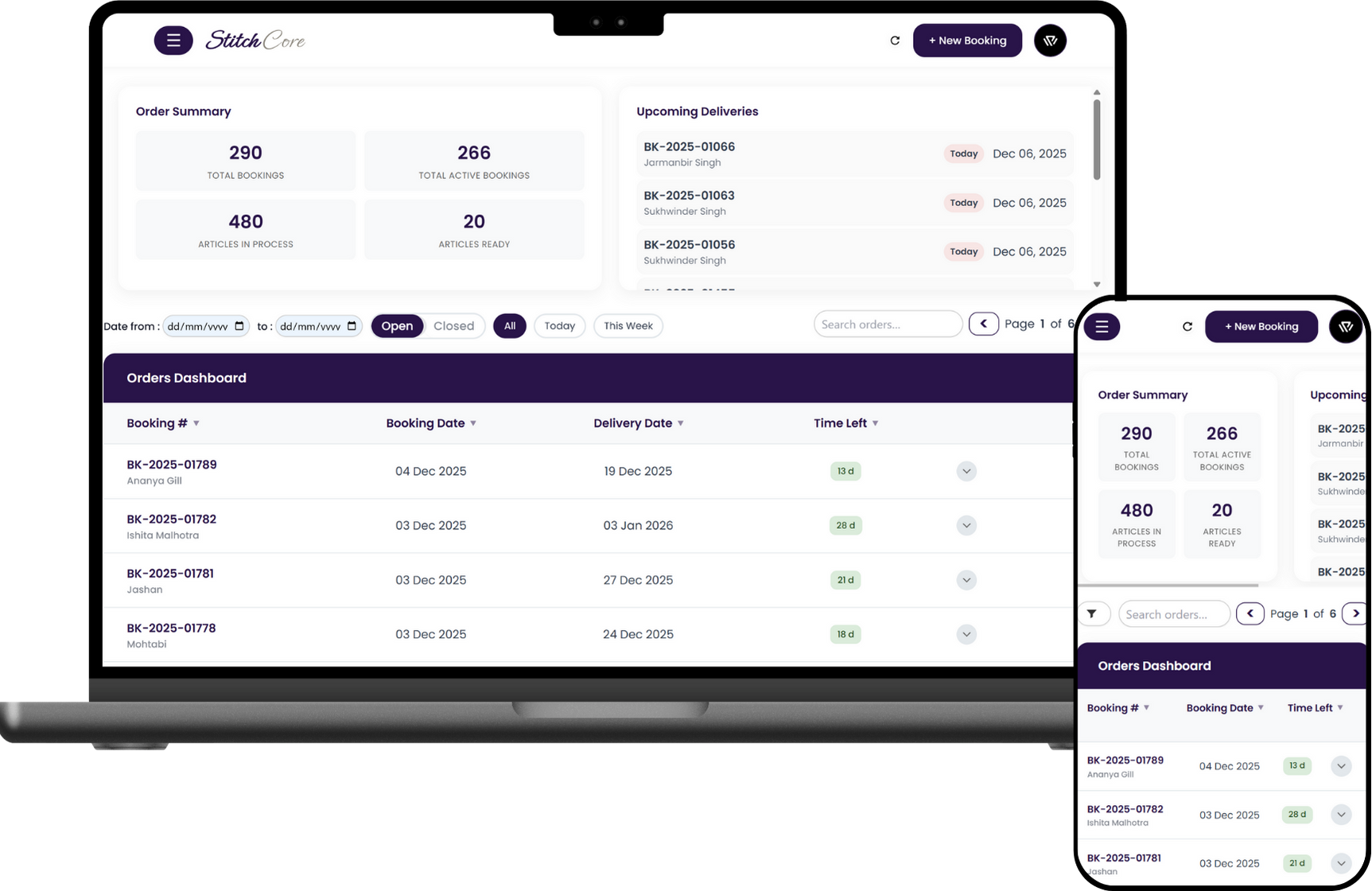
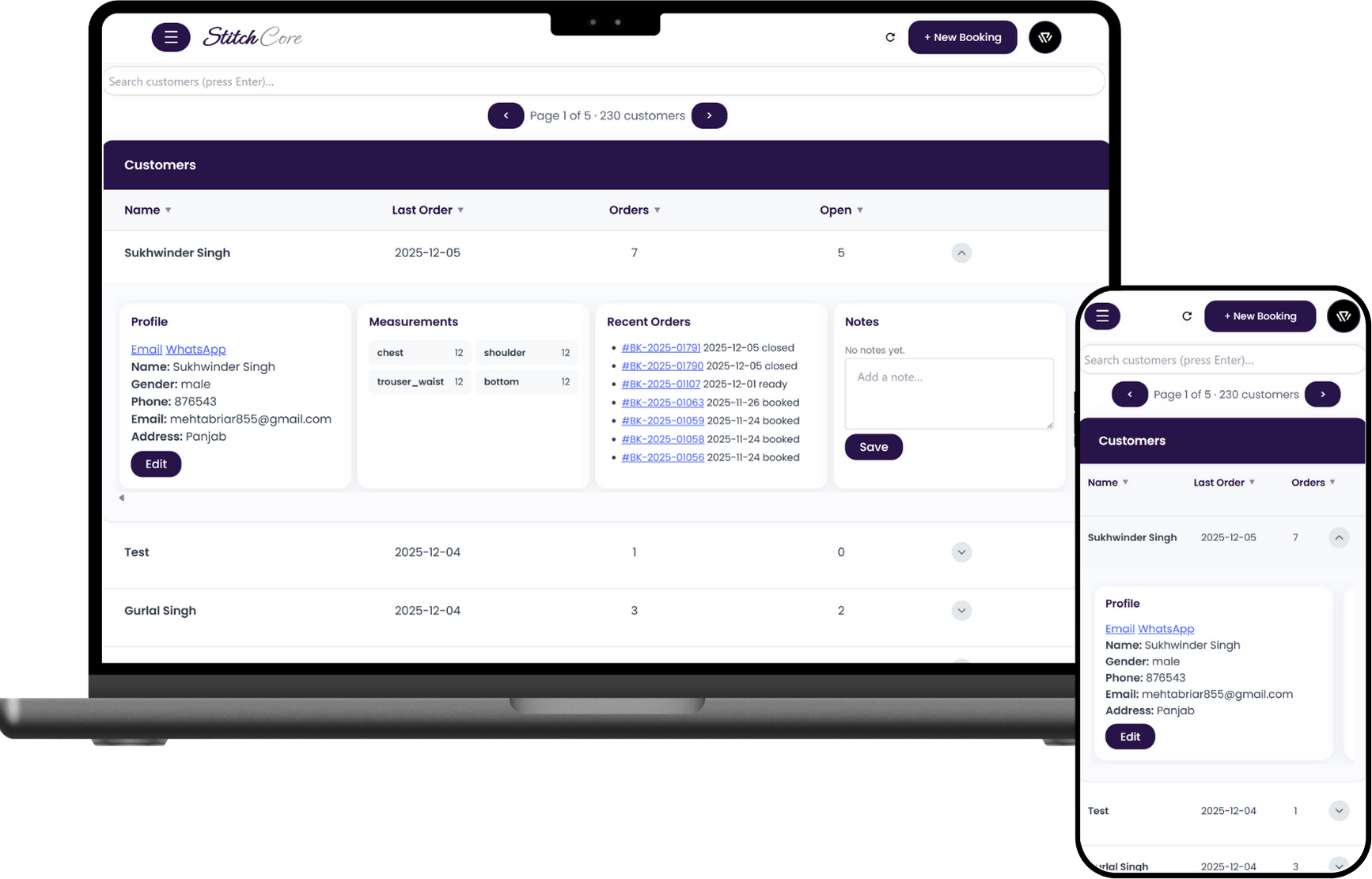
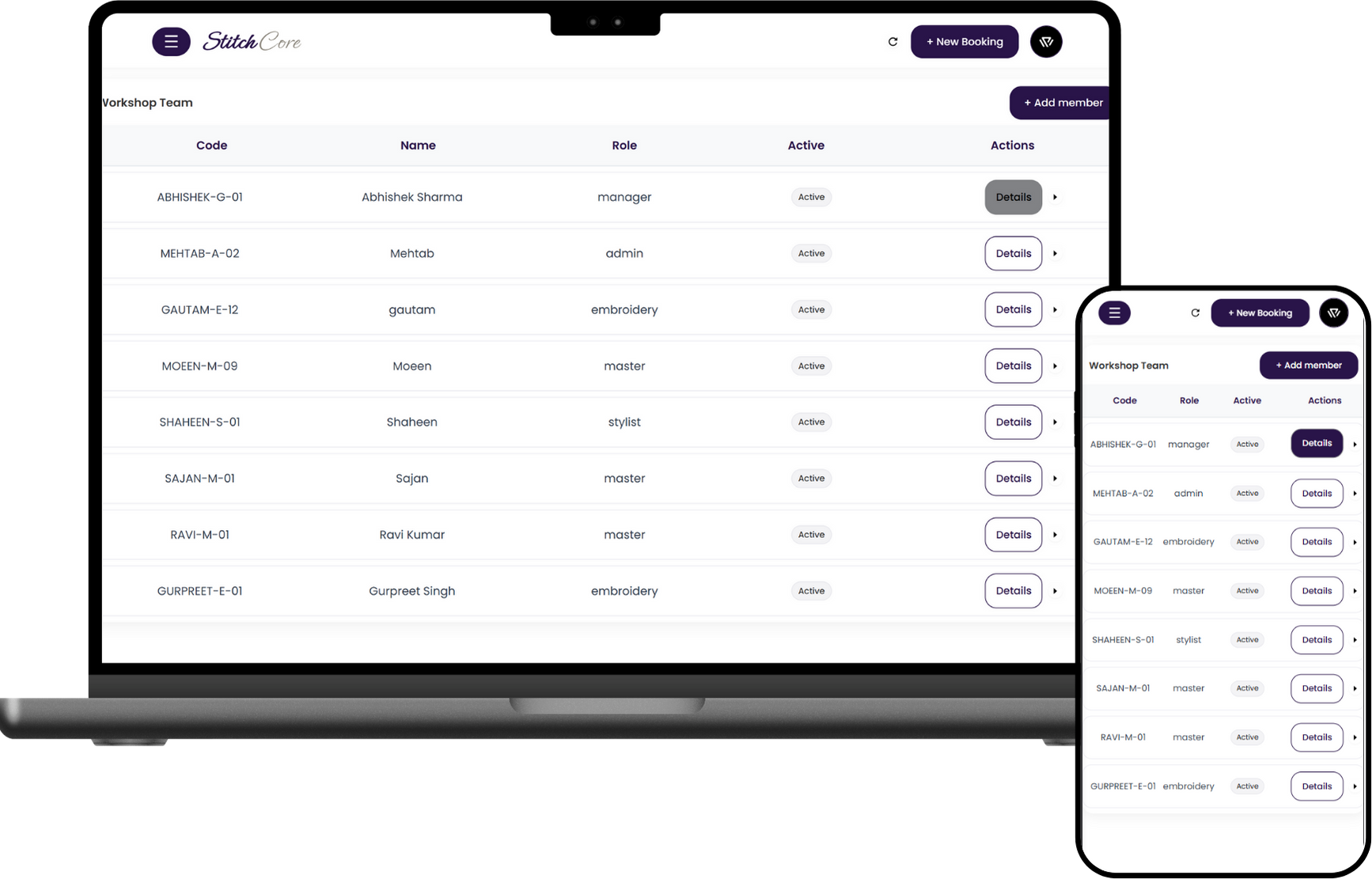
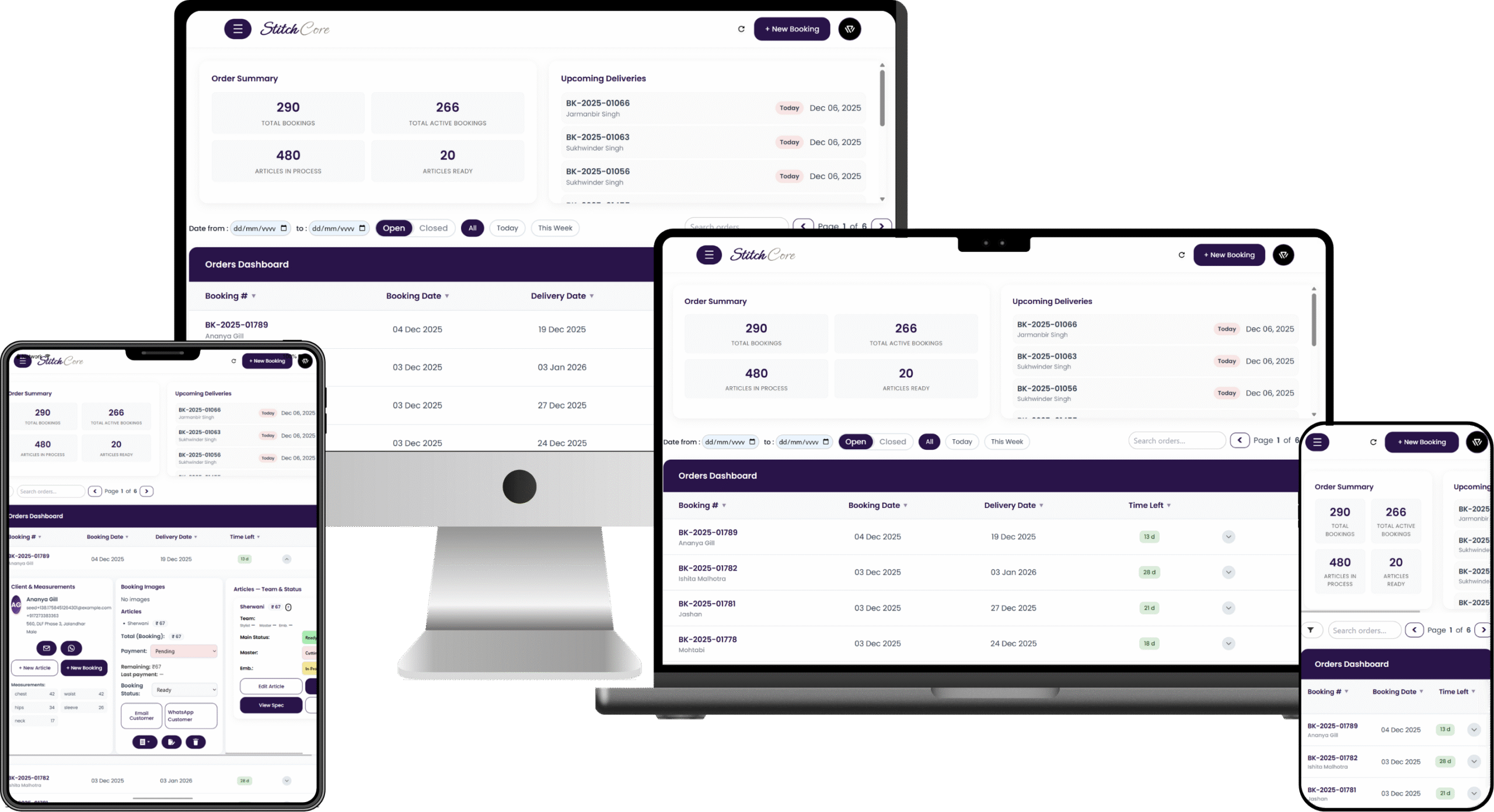
Keep Every Order on Track
See the status of every garment at a glance — what’s in progress, what’s pending, and what’s ready. No more guessing, checking WhatsApps, or cross-verifying with paper slips.
Bring Clarity to Every Customer
Give every client a complete, easy-to-access profile — measurements, preferences, and full order history. Your team always knows exactly what’s needed, so work begins faster and finishes with fewer errors.
Free Your Team to Do Their Best Work
Your staff stays focused on the work that matters. Clear roles, clear tasks, and a calm, organized day without constant coordination or confusion.
Access Your Studio From Anywhere
Whether you’re traveling, visiting a client, or managing multiple locations, your entire studio stays with you — on mobile, tablet, or laptop. Everything updates instantly, securely, and in sync.
Keep Every Order on Track
See the status of every garment at a glance — what’s in progress, what’s pending, and what’s ready. No more guessing, checking WhatsApps, or cross-verifying with paper slips.
Bring Clarity to Every Customer
Give every client a complete, easy-to-access profile — measurements, preferences, and full order history. Your team always knows exactly what’s needed, so work begins faster and finishes with fewer errors.
Free Your Team to Do Their Best Work
Your staff stays focused on the work that matters. Clear roles, clear tasks, and a calm, organized day without constant coordination or confusion.
Access Your Studio From Anywhere
Whether you’re traveling, visiting a client, or managing multiple locations, your entire studio stays with you — on mobile, tablet, or laptop. Everything updates instantly, securely, and in sync.
Everything Your Studio Needs — Built In

BOOKING WIZARD, PRODUCTION-READY
Turn conversations into a complete booking in minutes—so production can start immediately.
The wizard captures client, delivery, garments, styles, and pricing with validations, auto-generates code + QR, autofills for returning customers, and alerts the right team as soon as you save.

MEASUREMENTS & STYLE CAPTURE
Save exact fit and design once, reuse with confidence on every order.
Record standard, full-body, and garment-specific fields alongside sketches/photos and notes, add custom fields when needed, and keep version history for quick, consistent repeats.

MULTI-GARMENT ORDER, ONE CODE
Track multiple articles as one job while each garment stays detailed.
Keep per-article styles, charges, and notes, view a unified timeline and billing, and handle partial deliveries without losing context.

TEAM ASSIGNMENT & SCHEDULE
Assign in seconds; role dashboards and real-time notifications keep owners accountable.
Assign stylist/master/embroidery per article; due dates & SLAs; real-time assignment notifications; load-balancing & reassignment; activity logs for clear ownership.

LIVE TRACKING & CUSTOMER UPDATES
See progress at a glance and update customers in one click.
Switch between list or board views with SLA timers, open the exact job via QR on the floor, and send WhatsApp/email updates with a complete audit trail.

QC, DELIVERY & ANALYTICS
Finish cleanly, deliver confidently, and learn from every run.
Run QC and payment checkpoints, print receipts and QR order sheets, confirm delivery, and review analytics on throughput, delays, and upcoming workload.
From scattered to synchronized


Switch to a single, organized system for orders, customers, and teams — watch productivity climb and handoffs fade.
How to Get Started
Four quick steps to get your studio running on StitchCore.
-
Click “Get Started” & share basics
Fill a short form with your studio name, contact details, and a few basics about how you work.
-
We schedule a meeting & demo
Live walkthrough of StitchCore, understand your business flow, and show exactly how it will fit your studio.
-
We customise for your studio
We configure select features to your flow and prepare personalised user guides for your team.
-
Guided sessions
Short training sessions to get everyone comfortable; Q&A included. Then you’re ready to roll.
WHY YOU CAN TRUST STITCHCORE
Clear access control, private workspaces, and support that respects your data.
-
Secure
Each studio runs in its own isolated, password-protected workspace over HTTPS. Your data stays separate and protected.
-
Privacy First
Only you and your team can access your studio data. If support ever needs temporary access, it’s with your consent — aligned with DPDP principles.
-
Role-Based Access
Team members see only what they need. Admins control permissions and can change them anytime.
-
24×7 Support
Help when you need it — onboarding, setup, and troubleshooting around the clock.
Frequently Asked Questions
Does StitchCore fit our tailoring studio’s workflow?
Yes. StitchCore is configured to your stages, garment types, measurement methods, and roles during guided onboarding — so the system matches how you already operate.
How long does implementation take to go live?
Typically a few days after the kickoff call. We configure your workspace, share credentials and personalised guides, and run short training so your team can start immediately.
How does role-based access work for my team?
Access is defined by roles set during setup. Team members only see what’s relevant to their work (e.g., stylists see their bookings; production sees work queues; leadership views studio-level dashboards). This keeps sensitive information limited and day-to-day screens clean.
How is our data secured and kept private?
Your studio runs in an isolated workspace backed by secure databases and strict access controls. Only you and your team can access your data. If support ever needs temporary access for maintenance/debugging, it’s done with your consent — privacy-first and aligned with DPDP principles.
What’s coming next?
We’re building StitchCore into an all-in-one app for modern tailoring studios: offline working, finance management, advanced reports, website order linking, billing, and admin dashboards.
Is there a trial or commitment to start?
Yes — trial is available during onboarding. There’s no payment until you choose to activate your workspace. You can review plans anytime on the Pricing page.